Freebet Mobile App
Freebet App — From Anywhere Play, Win, Enjoy
Install the Freebet app on any Android or iPhone device and carry the full casino and betting experience right in your pocket.

Freebet Mobile App
Install the Freebet app on any Android or iPhone device and carry the full casino and betting experience right in your pocket.
Why the Freebet App?
Most people handle everything from their phone these days — banking, shopping, entertainment. So why sit down at a computer just to bet or play casino games? Freebet solves that with a powerful mobile app built for exactly this.
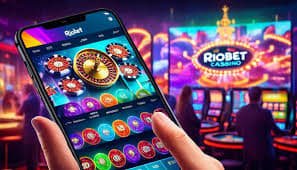
The Freebet app brings the full desktop experience to your mobile — no features left out. Live Casino, Sports Betting, slots, deposits, withdrawals, bonuses — everything is right at your fingertips. You will even get instant push notifications for new promotions and winning updates.
Many users worry about game quality on mobile apps. But the Freebet app delivers the same graphics and sound as the desktop version. That is because it uses an HTML5-based game engine that adapts seamlessly to any screen size.
Built with Bangladesh's mobile data costs in mind, the Freebet app includes a dedicated data-saving mode. Everyday gameplay uses minimal data, and bandwidth optimization stays active even during live streaming.
All your data and transactions on the Freebet app are protected with banking-grade encryption. No data is shared with third parties.
Download
Download the APK file directly and install it in just a few seconds. No Play Store needed.
Android 6.0+Add it from the App Store or directly via Safari to your home screen — you get the full native app experience.
iOS 13.0+You can use Freebet directly from Chrome, Firefox, or Safari without installing the app.
All Modern Browsers
Installation Guide
Register on Freebet. You can open an account in just 2 minutes with your name, mobile number, and password.
Android users, visit the Freebet official page and click the APK download link.
On your Android device, go to Settings → Security → Unknown Sources and enable it to allow APK installation. This is safe and only needs to be done once.
Tap the downloaded APK file and press the Install button. Installation completes in 15-30 seconds.
Open the app, log in to your account, and choose your game. Make a deposit and your bonus will be applied.
Open Freebet in Safari on your iPhone or iPad, tap the Share button, and select "Add to Home Screen". This creates an app-like icon and lets you play in fullscreen.
App Highlights
The Freebet app loads games in just 2-3 seconds. Thanks to optimized code and a CDN network, you get a smooth experience even on slower connections.
New bonus offers, tournament launches, deposit confirmations — every update lands on your phone instantly. Never miss a thing.
Log in in seconds using your fingerprint or Face ID. No more typing passwords — and your account stays even more secure.
Mobile Banking, Nagad, Rocket, or bank transfer — all payment methods are available directly within the app. No need to switch to a separate browser.
HD Live Casino streamed directly to your mobile. Adaptive bitrate technology keeps the video running smoothly even when your connection slows down.
Turn on Dark Mode for a more comfortable viewing experience at night. The Freebet app defaults to a dark theme, so there's no strain on your eyes.
Live chat is built right into the app. Get help in Bangla and resolve issues on the spot. Our support team is available 24/7, all week long.
Add an extra layer of security to your account with OTP verification. Any login from a new device will require additional confirmation.
The Freebet app updates automatically. When new games or features are added, there is nothing extra to download.
Comparative Analysis
| Features | Freebet App | Mobile Browser | Desktop |
|---|---|---|---|
| Loading Speed | Fastest | Medium | Fast |
| Push Notifications | Available | None | None |
| Biometric Login | Available | None | None |
| Data Saving | Optimized | Standard | Standard |
| Live Casino | Full Support | Full Support | Full Support |
| Installation | Required | Not Required | Not Required |
| Offline Access | Partial | None | None |
Security & Trustworthiness
Many people have concerns about downloading third-party APKs — and that is completely understandable. But the Freebet APK comes directly from our official server with no middlemen involved.
The Freebet app has passed international cybersecurity audits. Every update is scanned for malware before release. Once installed, the app requests only the permissions it actually needs — no unnecessary access.
All transactions are secured with 128-bit SSL encryption. Your bank or mobile banking details are never stored on Freebet servers during deposits or withdrawals — every payment is processed through a payment gateway.
Two-factor authentication (2FA) is available to keep your account secure. If anyone tries to log in to your account from an unfamiliar device, you will receive an instant notification.
Freebet believes in responsible gaming. You can set daily or weekly betting limits right from the app settings. There is also an option to take a temporary account break whenever you need one.

Frequently Asked Questions
Register, install the app, and enjoy the full betting and casino experience from anywhere.